

The reliable way to back up GitLab repositories
Automatic daily backups and instant restores of your GitLab projects, repositories, metadata, and even LFS. Backup to any storage you want.
SOC 2 compliant
Per repository pricing
AES encryption
Our Features
Protect your GitLab repositories with automated backups and rapid restores
Regional storages
Stay compliant with regulations by selecting the storage location you need
Bring you own storage
Choose from a variety of backup storage options
Data deduplication
Save a significant amount of cloud storage space and reduce operational costs
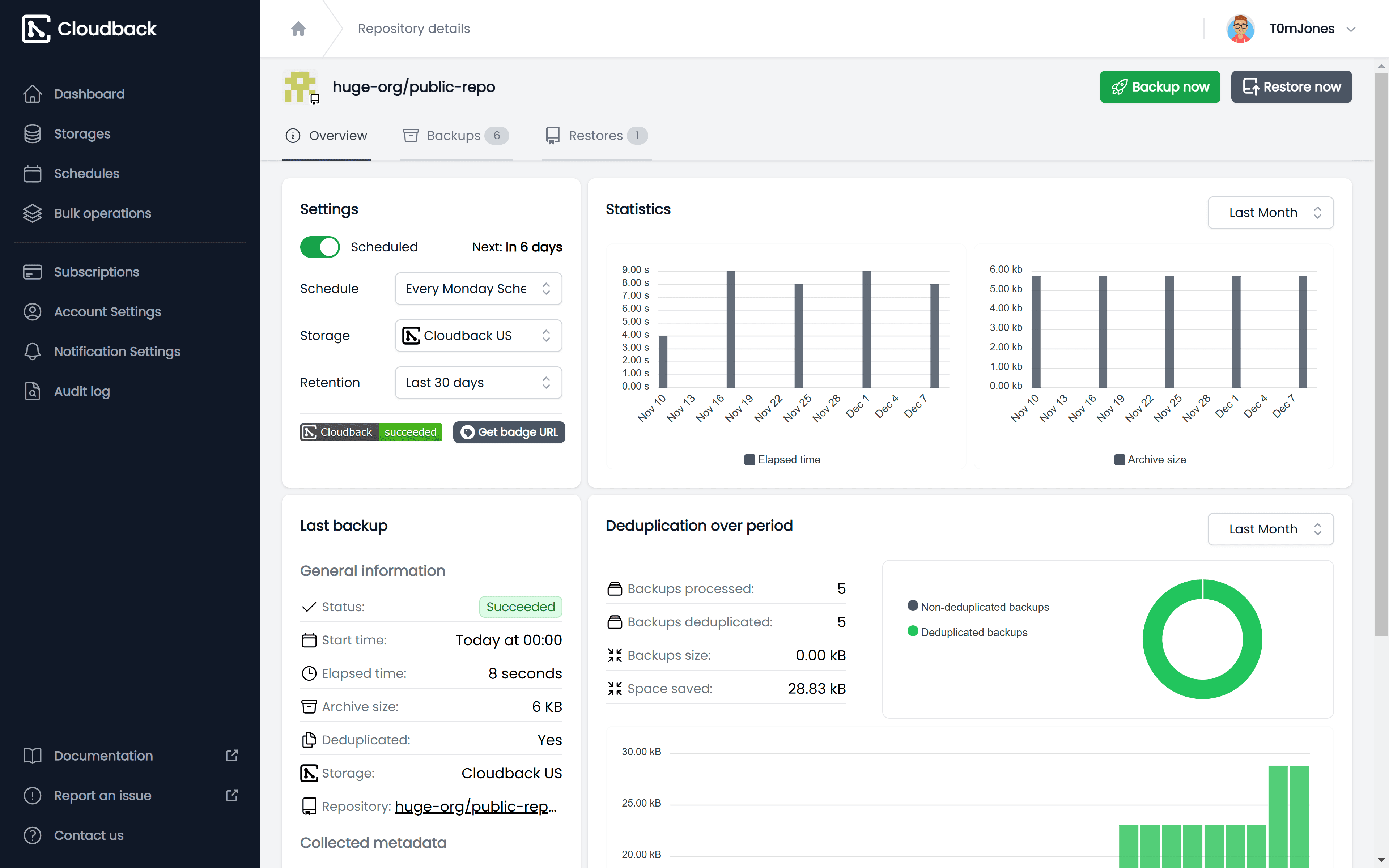
Schedule and retention
Set up a custom backup schedule and retention policy
Ready for Enterprises
Cloudback's features are crafted for enterprises, ensuring your success receives the attention it deserves
SOC 2 Compliant
Ensure enterprise-grade security and compliance with Cloudback’s SOC 2 certification, meeting rigorous industry standards.
Audit Log
Monitor every action with detailed audit logs, providing full transparency, accountability, and compliance readiness for your backups.
Multi-storage Support
Back up your repositories to AWS, Azure, Google Cloud, or other providers, ensuring flexibility and regional compliance.
Intuitive Backup Solution
Start in minutes with an easy setup and user-friendly interface, making backup management effortless for everyone.
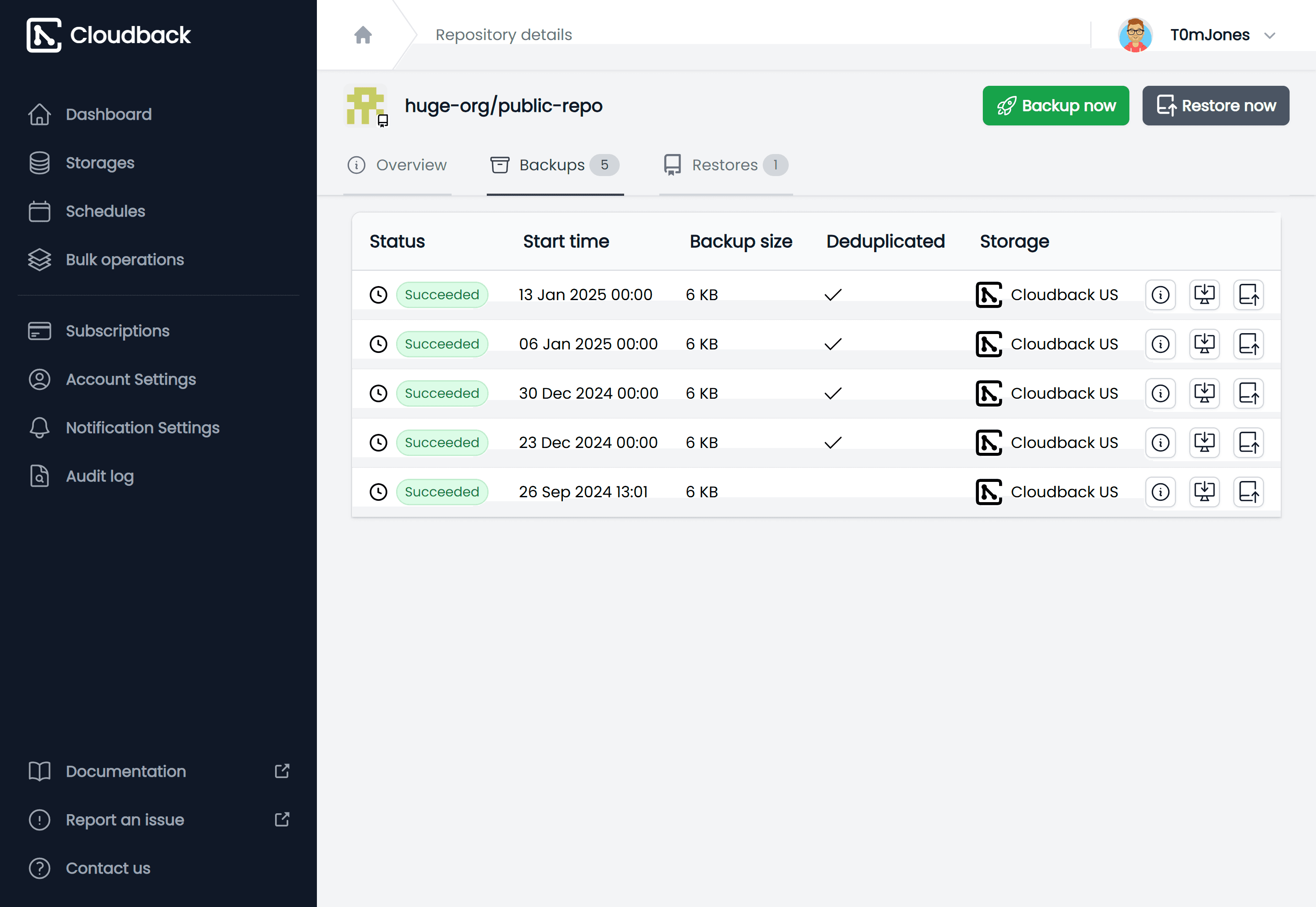
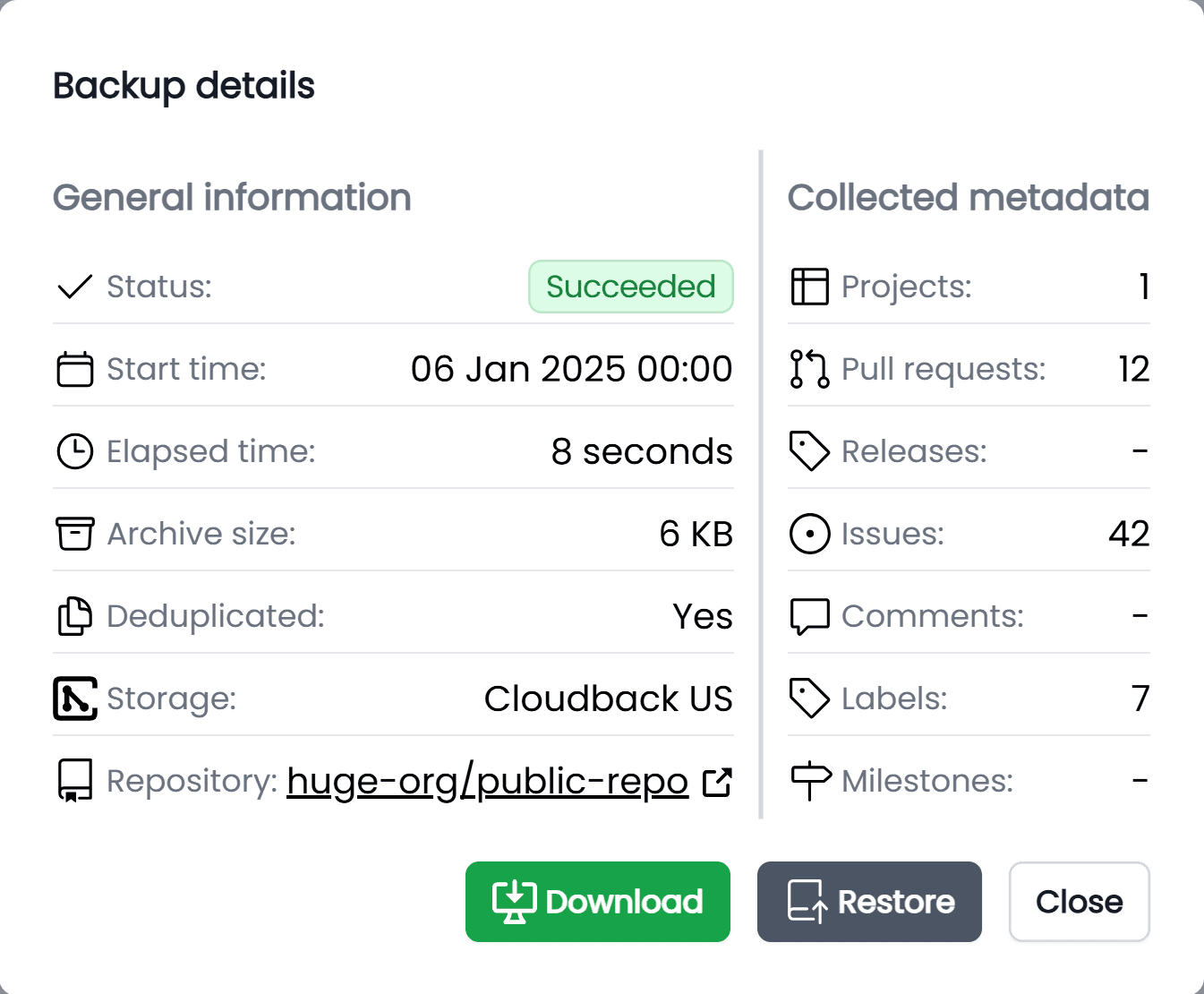
The most complete backup
Your ZIP archive contains a fully cloneable repository with LFS objects and detailed metadata stored as JSON: issues, merge requests, comments, labels, milestones, members and issue boards. All archives are encrypted and password-protected.
Git repository
Git LFS objects
Issues
Merge requests
MR Comments
Labels
Members
Milestones
Issue boards
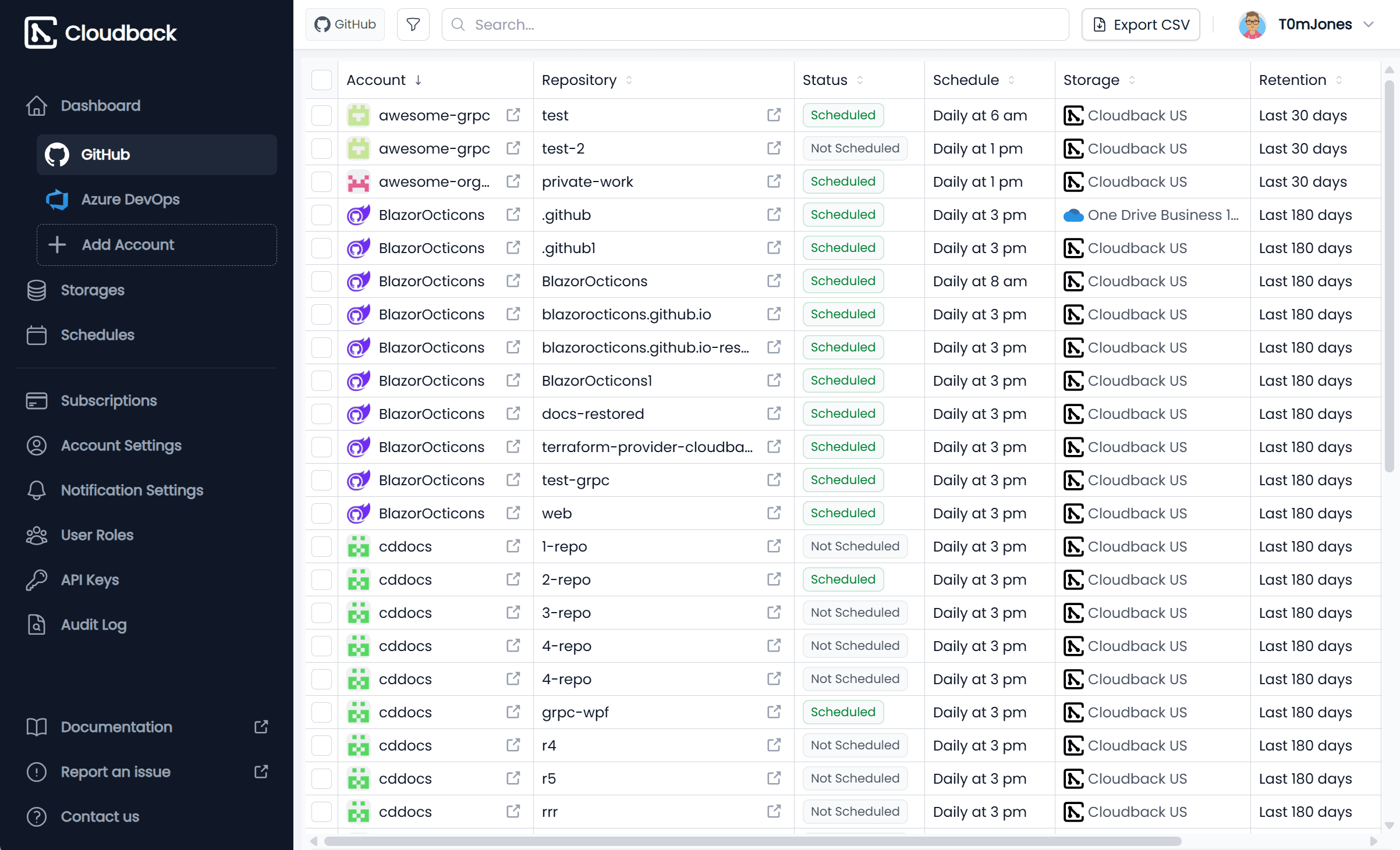
Comprehensive Backup Management
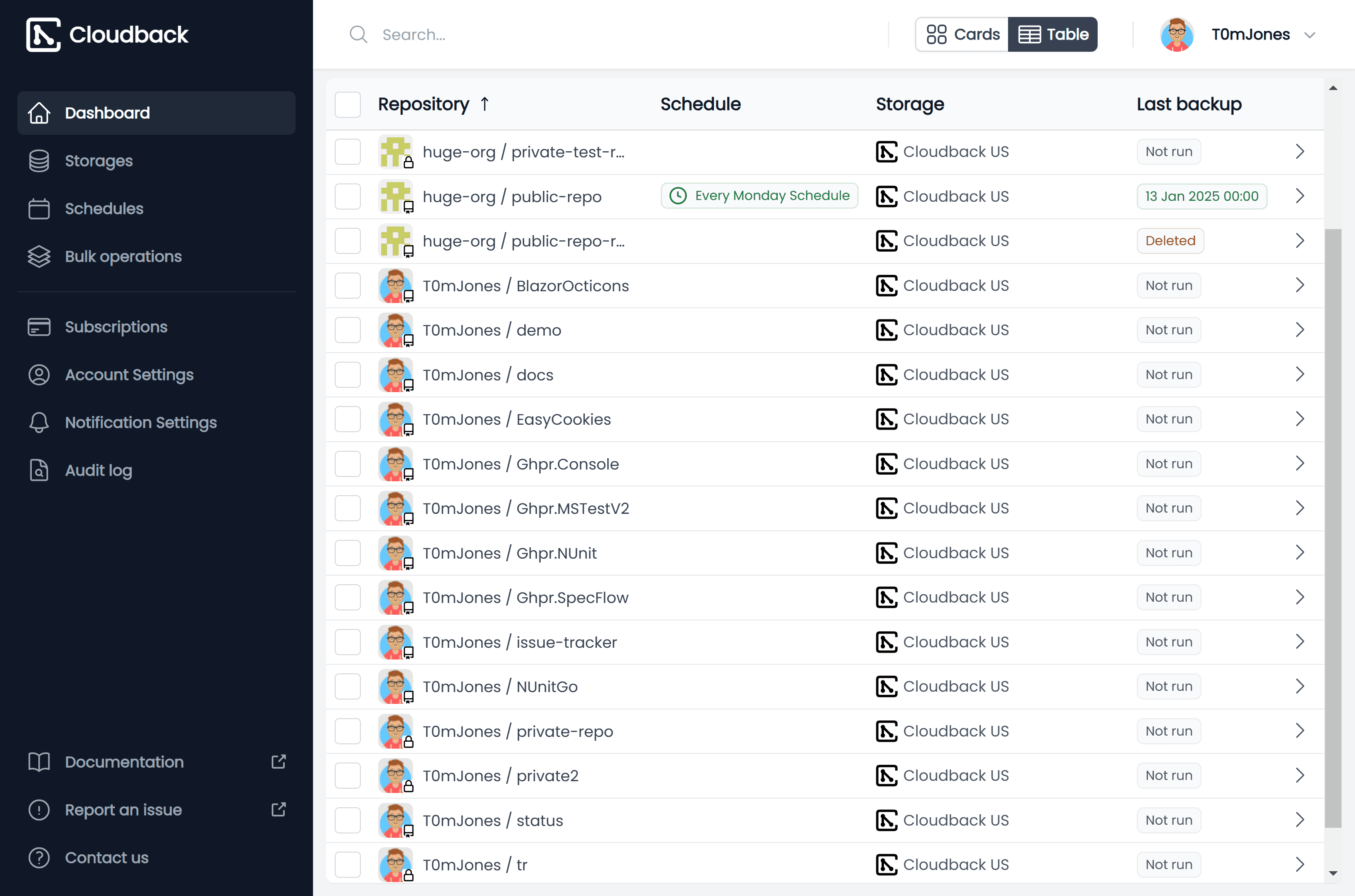
Efficiently manage repositories with advanced tools: perform bulk operations, get instant notifications via Slack or Teams, and experience a user-friendly interface with both card and table views
Admin Dashboard
Manage all repositories and backups from one intuitive dashboard, ensuring seamless oversight and easy configuration.
Custom Notifications
Receive real-time updates on Slack, Microsoft Teams, and Discord about backup statuses, or set up email notifications.
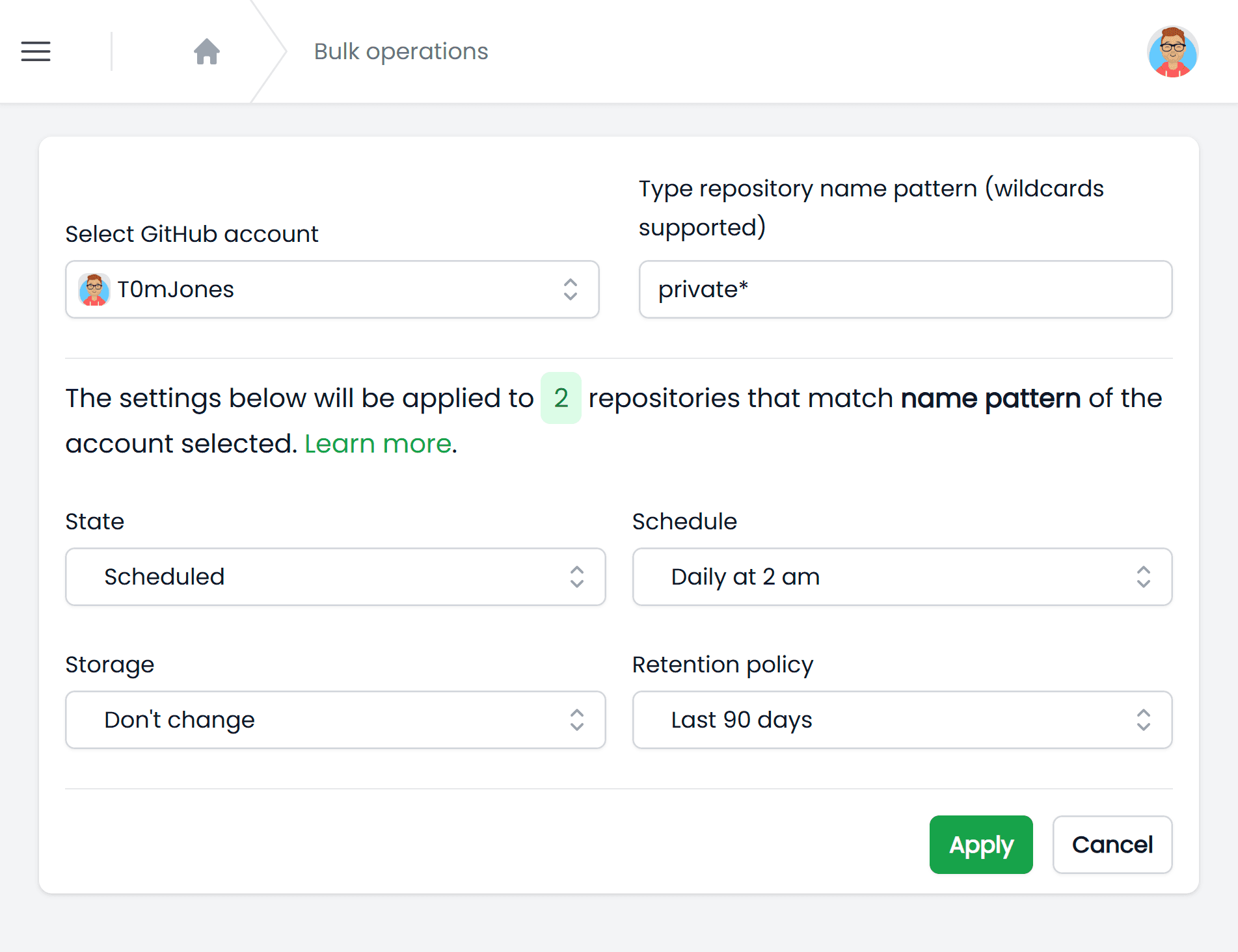
Bulk Operations
Bulk operations let you configure and update settings for multiple repositories quickly and efficiently.
Backup Configuration
Set up backups by configuring storage, schedules, and retention policies to match your needs.
Trusted by companies
Explore the numbers behind our success
1.7k+
Happy customers
14k+
Repositories secured
4M+
Backups created
Ready to get started?
Begin your secure coding journey with Cloudback.
Have some questions?
Seeking more clarity? Our support team is here to help you.
Your feedback matters!
Need a new feature? Want to submit a bug report?
Basic plan
$10
/mo per 10 units
Ideal for individual developers or small projects
Regional storages
Customer storages
Data deduplication
Flexible schedule
Team plan
FEATURED$75
/mo per 100 units
Designed for collaborative teams and growing projects
Regional storages
Customer storages
Data deduplication
Flexible schedule
Enterprise plan
$500
/mo per 1000 units
We support up to 10000 repositories per account. Need more? Contact us
Regional storages
Customer storages
Data deduplication
Flexible schedule
What is a unit?
A unit is how Cloudback measures backup capacity. Each enabled backup consumes units from your subscription pool based on the platform: one unit per GitHub repository, one unit per Azure DevOps repository, and one unit per GitLab project. Linear is priced per workspace member: each of the first 25 members costs 2 units, and each member beyond 25 costs 1 unit. Your subscription's units are shared across all connected accounts and platforms, so you can mix and match as needed.
Want to start for free?
We have a fully-featured free plan! Back up one repository for free. Repository size is limited up to 100MB.
$0
for 1 repository
Discover more with a live demo
Experience Cloudback in action with an exclusive demo. Learn how our platform seamlessly integrates with GitHub, GitLab, Azure DevOps, and Linear, offering a reliable solution for code protection. Book your demo to see how we make backup management easy.
Book a demoLatest insights
Stay updated with our freshest content. Explore the latest blog posts for valuable insights, news, and tips on optimizing your experience with Cloudback.
Frequently Asked Questions
We have compiled common questions to provide you with more information and enhance your overall experience.
What is Cloudback?
Cloudback is an automated backup and restore service for GitHub, Azure DevOps, GitLab, and Linear. It backs up repositories, project metadata, and platform-specific data like issues, pull requests, and documents as encrypted ZIP archives. Backups run on a configurable schedule, and archives can be stored in your own cloud storage or in Cloudback's managed regional storage.
What is Cloudback?
Cloudback is an automated backup and restore service for GitHub, Azure DevOps, GitLab, and Linear. It backs up repositories, project metadata, and platform-specific data like issues, pull requests, and documents as encrypted ZIP archives. Backups run on a configurable schedule, and archives can be stored in your own cloud storage or in Cloudback's managed regional storage.
What is a pricing unit?
A unit is how Cloudback measures backup capacity. Each enabled backup consumes units from your subscription pool based on the platform: one unit per GitHub repository, one unit per Azure DevOps repository, and one unit per GitLab project. Linear is priced per workspace member using progressive tiers: each of the first 5 members costs 2 units, each of the next 20 members (6-25) costs 4 units, and each member beyond 25 costs 6 units. Tiers stack, so a 10-member workspace pays 5×2 + 5×4 = 30 units. Your subscription's units are shared across all connected accounts and platforms, so you can mix and match as needed.
What is a pricing unit?
A unit is how Cloudback measures backup capacity. Each enabled backup consumes units from your subscription pool based on the platform: one unit per GitHub repository, one unit per Azure DevOps repository, and one unit per GitLab project. Linear is priced per workspace member using progressive tiers: each of the first 5 members costs 2 units, each of the next 20 members (6-25) costs 4 units, and each member beyond 25 costs 6 units. Tiers stack, so a 10-member workspace pays 5×2 + 5×4 = 30 units. Your subscription's units are shared across all connected accounts and platforms, so you can mix and match as needed.
Where are my backups stored?
Cloudback offers two storage options. You can use customer-managed storage (BYOS) where backups go directly to your own AWS S3, Azure Blob, Google Cloud, OneDrive, Wasabi, or other supported provider. Alternatively, Cloudback provides managed regional storage in the US, EU, UK, Sydney, and Singapore for teams that prefer a quick setup without configuring their own bucket.
Where are my backups stored?
Cloudback offers two storage options. You can use customer-managed storage (BYOS) where backups go directly to your own AWS S3, Azure Blob, Google Cloud, OneDrive, Wasabi, or other supported provider. Alternatively, Cloudback provides managed regional storage in the US, EU, UK, Sydney, and Singapore for teams that prefer a quick setup without configuring their own bucket.
How are backups encrypted?
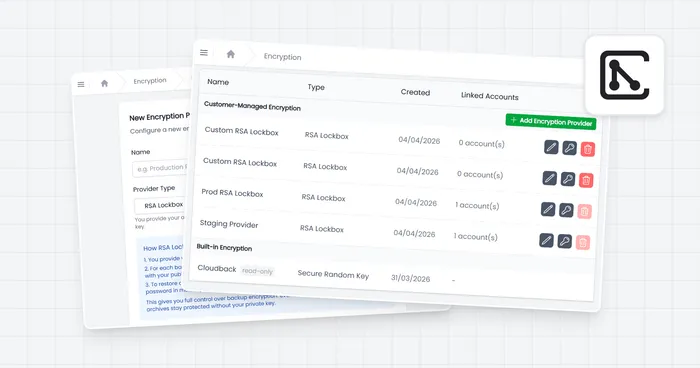
Every backup archive is encrypted with AES-256 and protected with a unique password managed by Cloudback. For additional protection, backups stored in Amazon S3 can use Object Lock for immutable, write-once-read-many (WORM) retention. This prevents anyone, including account admins, from deleting or modifying backups during the retention period.
How are backups encrypted?
Every backup archive is encrypted with AES-256 and protected with a unique password managed by Cloudback. For additional protection, backups stored in Amazon S3 can use Object Lock for immutable, write-once-read-many (WORM) retention. This prevents anyone, including account admins, from deleting or modifying backups during the retention period.
Can I customize the backup schedule?
Yes. Cloudback supports flexible scheduling. You can set backups to run daily, weekly, monthly, or on a custom schedule that fits your workflow. Retention policies of 30, 90, 180, or 360 days control how long backup archives are kept. Both schedule and retention can be configured per backup definition in the dashboard or via Terraform.
Can I customize the backup schedule?
Yes. Cloudback supports flexible scheduling. You can set backups to run daily, weekly, monthly, or on a custom schedule that fits your workflow. Retention policies of 30, 90, 180, or 360 days control how long backup archives are kept. Both schedule and retention can be configured per backup definition in the dashboard or via Terraform.
How does Cloudback handle failed backups?
Cloudback sends notifications when a backup fails. By default, you'll get an email alert. You can also set up real-time notifications through Slack, Microsoft Teams, or Discord webhooks. The dashboard shows backup status for every definition, and the audit log records all backup events with details for troubleshooting.
How does Cloudback handle failed backups?
Cloudback sends notifications when a backup fails. By default, you'll get an email alert. You can also set up real-time notifications through Slack, Microsoft Teams, or Discord webhooks. The dashboard shows backup status for every definition, and the audit log records all backup events with details for troubleshooting.
Is Cloudback SOC 2 compliant?
Yes. Cloudback holds SOC 2 Type II certification since October 2024. The platform includes audit logging with 50+ tracked event types, 180-day log retention, and Vanta integration for automated user access reviews. Backups are AES-256 encrypted, and customer-managed storage options support data residency requirements for GDPR and other regulations.
Is Cloudback SOC 2 compliant?
Yes. Cloudback holds SOC 2 Type II certification since October 2024. The platform includes audit logging with 50+ tracked event types, 180-day log retention, and Vanta integration for automated user access reviews. Backups are AES-256 encrypted, and customer-managed storage options support data residency requirements for GDPR and other regulations.
Can I automate backup configuration with code?
Yes. Cloudback has a Terraform provider (cloudback/cloudback on the Terraform Registry) that lets you manage backup definitions, schedules, storage, and retention policies as infrastructure-as-code. There's also a REST Operations API for programmatic backup management. Both options allow teams to version-control their backup configuration alongside other infrastructure.
Can I automate backup configuration with code?
Yes. Cloudback has a Terraform provider (cloudback/cloudback on the Terraform Registry) that lets you manage backup definitions, schedules, storage, and retention policies as infrastructure-as-code. There's also a REST Operations API for programmatic backup management. Both options allow teams to version-control their backup configuration alongside other infrastructure.