Published
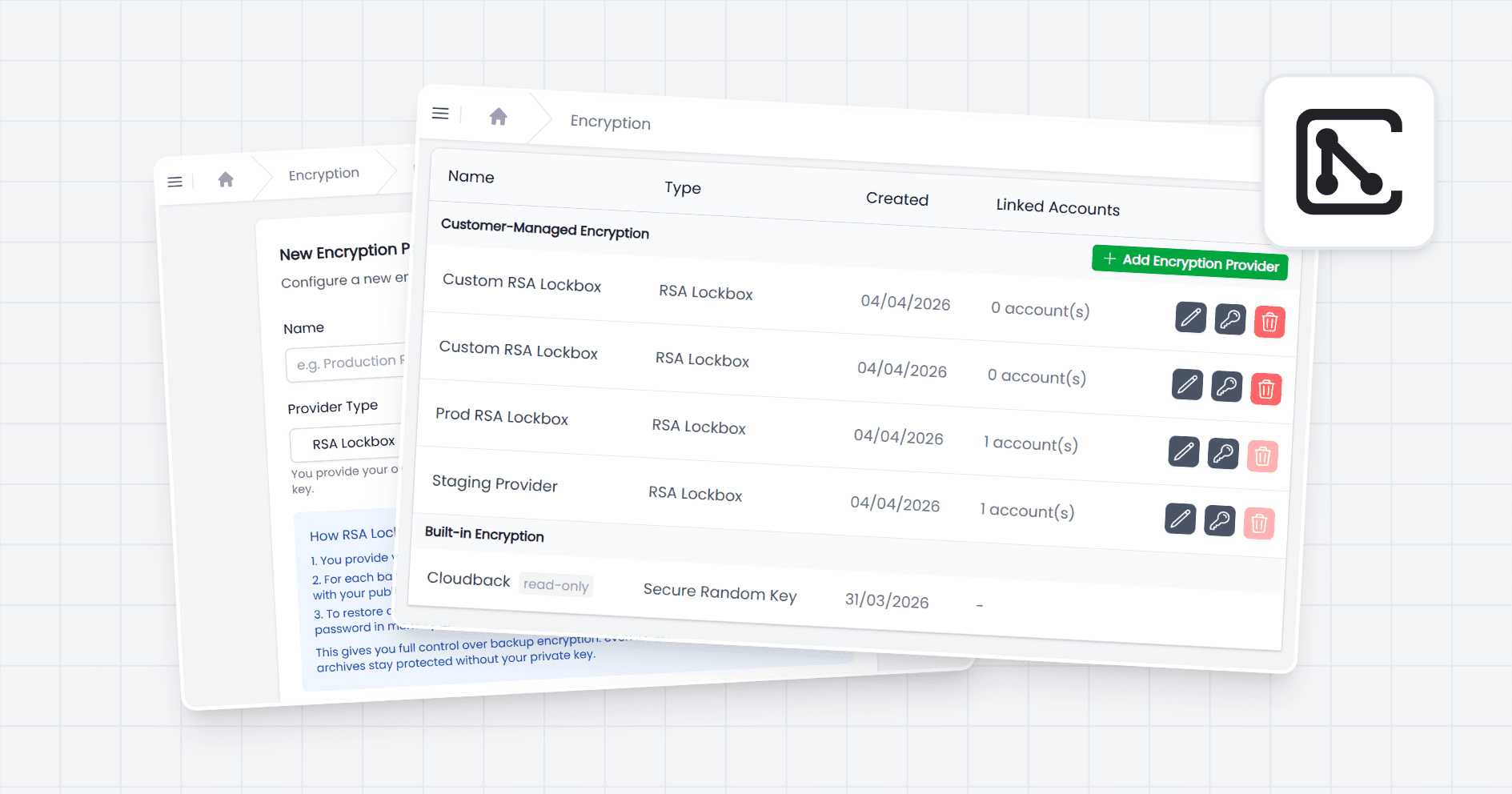
Cloudback now supports customer-managed encryption keys through RSA Lockbox, putting you in full control of how every backup archive is sealed. You provide your own RSA public key, Cloudback uses it to encrypt the password for each backup, and only your private key can unseal the archive. Across 4M+ backups created for teams running on GitHub, GitLab, Azure DevOps, and Linear, this is the strongest separation Cloudback has shipped between operator and data owner.
Hold the only key that can decrypt your backup passwords
Every Cloudback backup is a password-protected ZIP archive with AES-256 encryption applied to its contents. The password is generated automatically for each backup and is never reused. With RSA Lockbox enabled, that per-backup password is encrypted with your public key using RSA-OAEP with SHA-256 before it lands in the database. The encrypted password sits in storage you can audit, but only you can decrypt it. Cloudback can't open your backups without your private key, and Cloudback never stores or persists that private key. If you lose it, the backups protected by that key cannot be recovered, so safeguarding it is your responsibility. Full mechanics are in the encryption overview.
Configure encryption per account, rotate keys without downtime
RSA Lockbox is configured per account, not per repository, in Account Settings under Backup Encryption. A Global Admin uploads a public key (a 2048-bit RSA key) and selects it as the active provider. Once changed, all future backups for that account use the selected provider. Existing backups are not affected, so key rotation never invalidates older archives, it just starts a new chain forward. You can create multiple CMEK providers, for example a separate RSA Lockbox key for each team or environment, and share them across accounts using access controls. Teams running parallel workloads under different compliance boundaries can keep keys cleanly partitioned without spinning up separate Cloudback tenants.
Pair RSA Lockbox with the rest of Cloudback's security stack
RSA Lockbox layers on top of the controls already shipping with every backup definition: AES-256 archive encryption, immutable backups, customer-managed storage in your own S3, Azure, or GCS bucket, and audit log entries for every backup and restore event. Only Global Admins can add, swap, or retire an encryption provider, and the audit log records every key event with the public key fingerprint, so security teams have a clean evidence trail for compliance reviews. Cloudback is SOC 2 Type II compliant, and RSA Lockbox lets regulated teams take Cloudback out of the trust boundary for backup decryption entirely.
Getting started
Configure RSA Lockbox in your Cloudback Account Settings under Backup Encryption. Full setup steps and key requirements are in the encryption overview docs.
Share this page: